Credit Note via Invoice
A credit note can be created directly from an existing invoice.
In this process, the invoice is used as a base voucher.
Credit Note Creation Process
- Navigate to Vouchers → Overview
- Click on any invoice in the list

- In the invoice detail view, click Actions in the top-right corner
- Select Create Credit Note
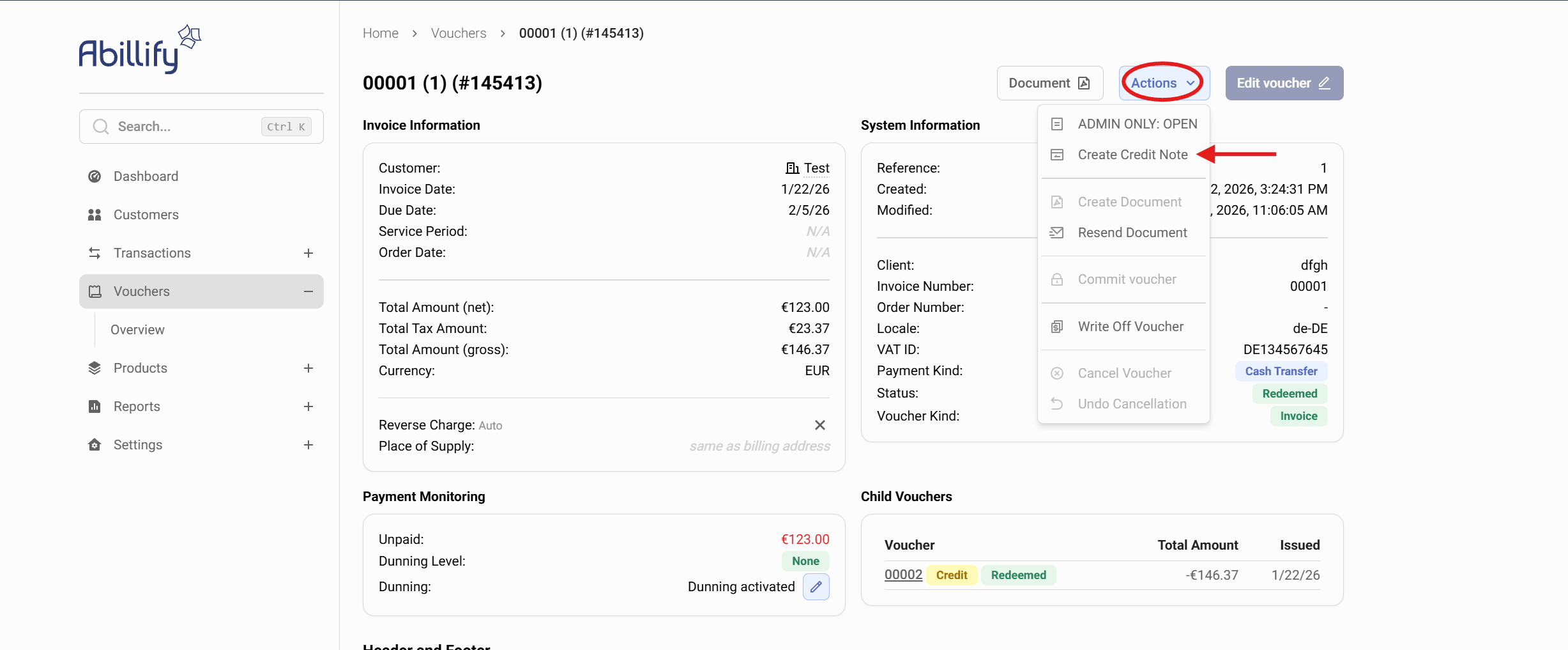
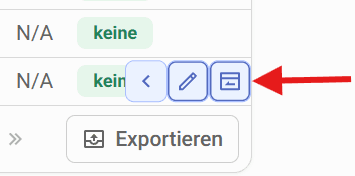
- Or you can also directly from the invoice list using the quick Create Credit Note buttons.
Creation Page
After clicking Create Credit Note, you are redirected to the Create new voucher page.
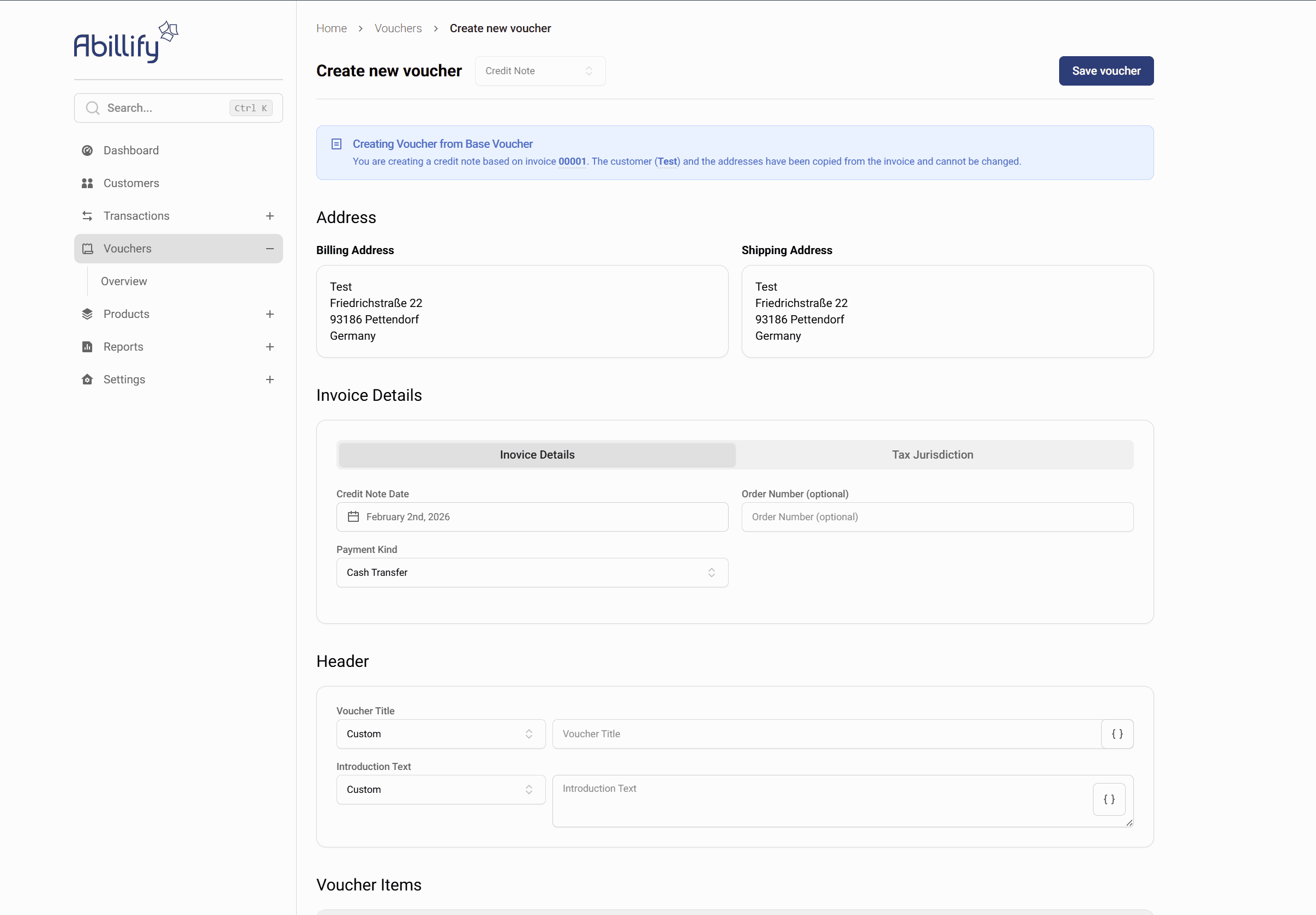
- The voucher type is automatically set to Credit Note
- A banner at the top displays
“Creating Voucher from Base Voucher” - Customer and address data are copied from the invoice
- These fields cannot be changed
Fill in the Credit Note
- Review the copied address information
- Set the Credit Note Date
- Select the Payment Kind
- Adjust if necessary:
- Voucher title
- Introduction text
- Items and amounts
- Click Save voucher
Result
- The credit note is successfully created
- It is based on the selected invoice
- The credit note is stored as a Credit Voucher
- The invoice can later be settled or offset accordingly