Account Management
Creating, editing and toggling posting accounts
Creating an account
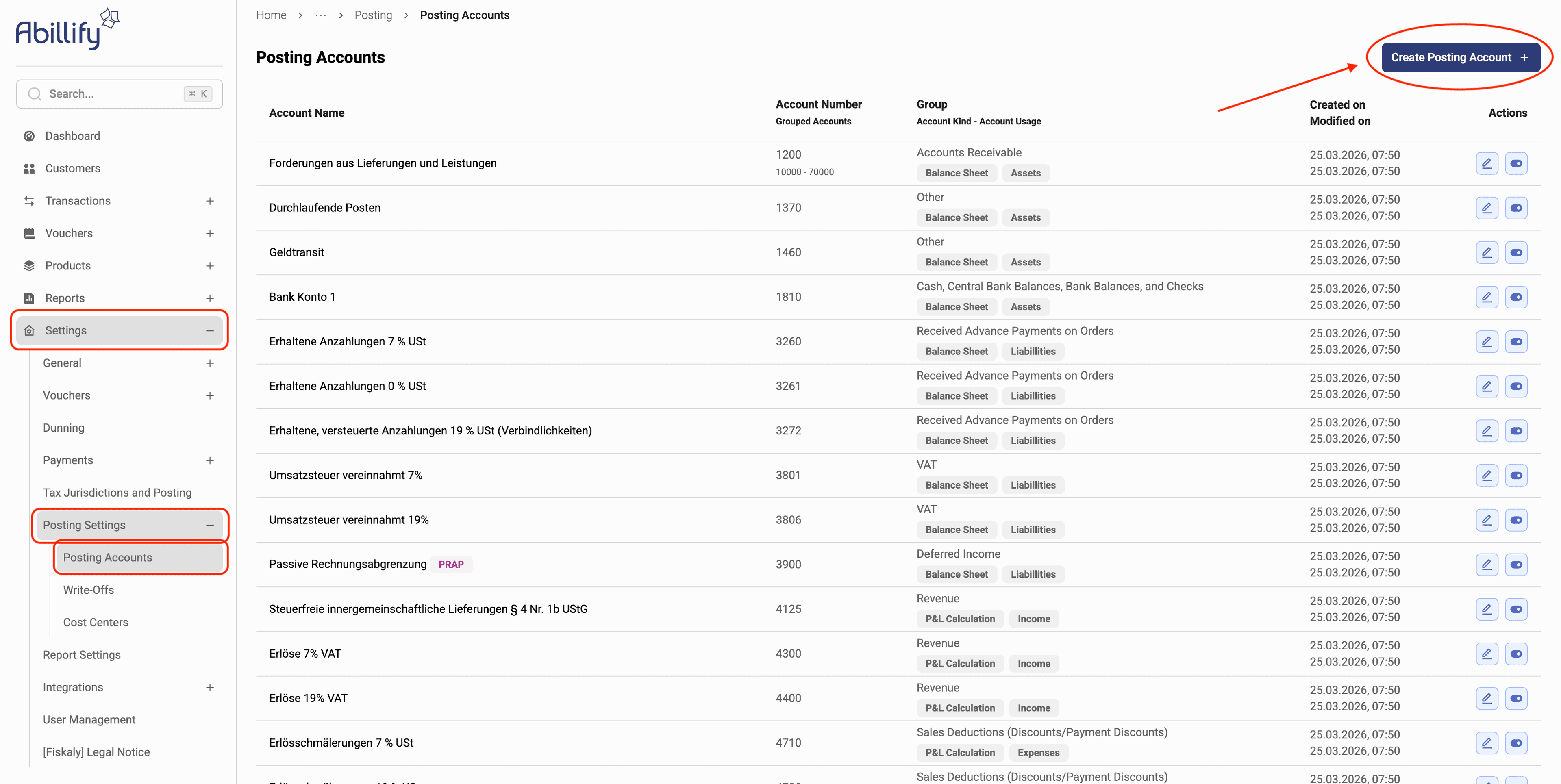
- Navigate to the Posting Accounts settings page and click the Create Posting Account button.
- Fill in account name, number and group. Specify whether this is an account for deferred income.
If you wish to export data to DATEV in the future, enter the correct DATEV Buchungsschlüssel here.
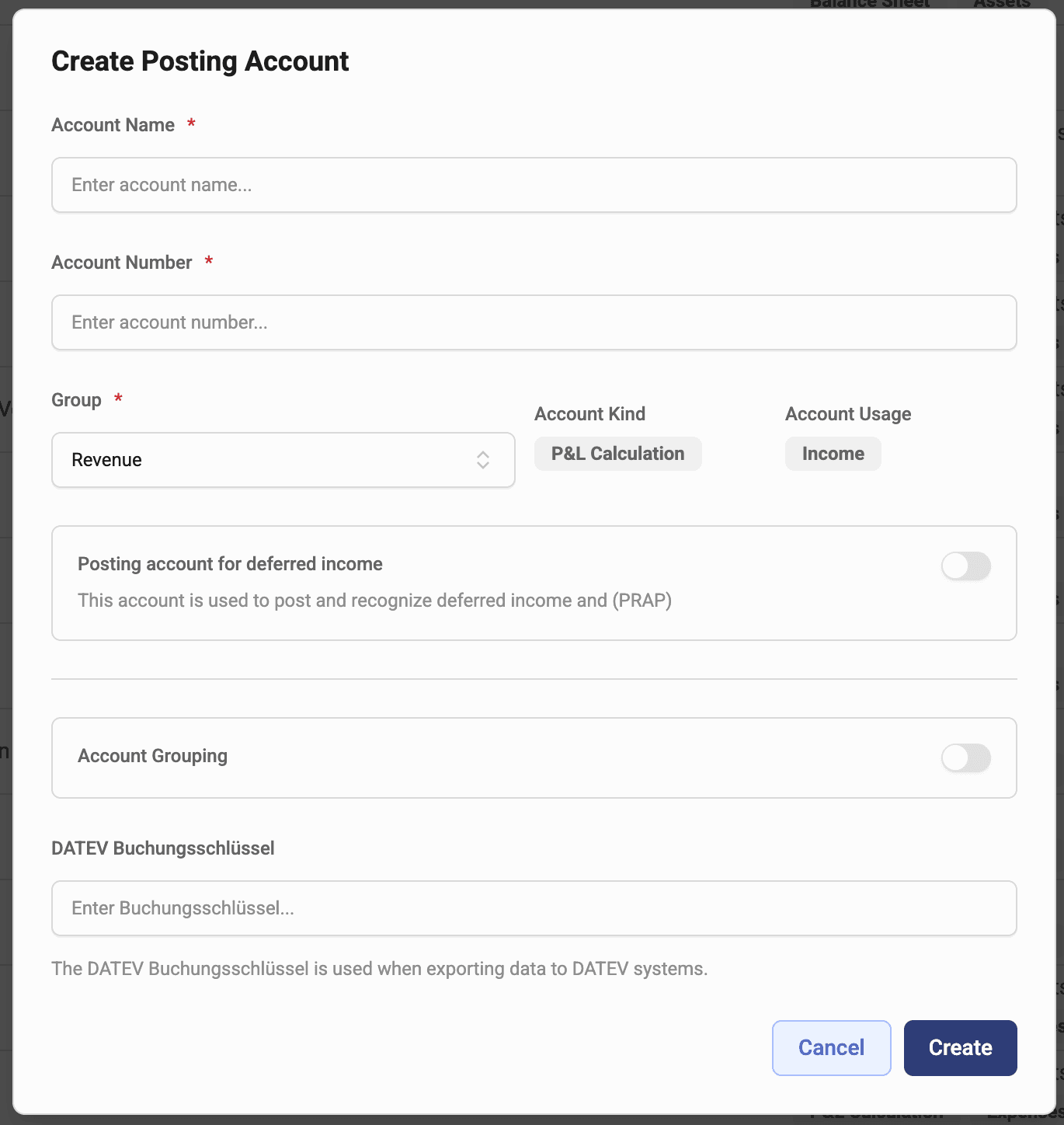
- Review the provided information, then click the Create button.
Editing an account
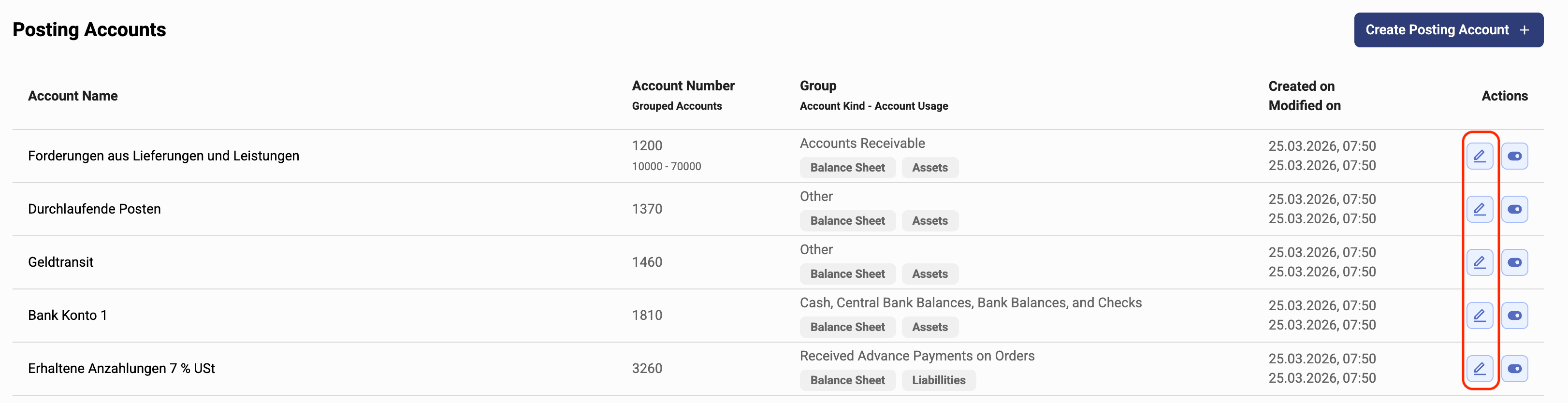
To edit an existing account, look for the account you wish to edit in the list and click the corresponding Edit button.
Disable/re-enable an account
To disable an account, look for the account you wish to disable in the list and click the corresponding Disable Account button.
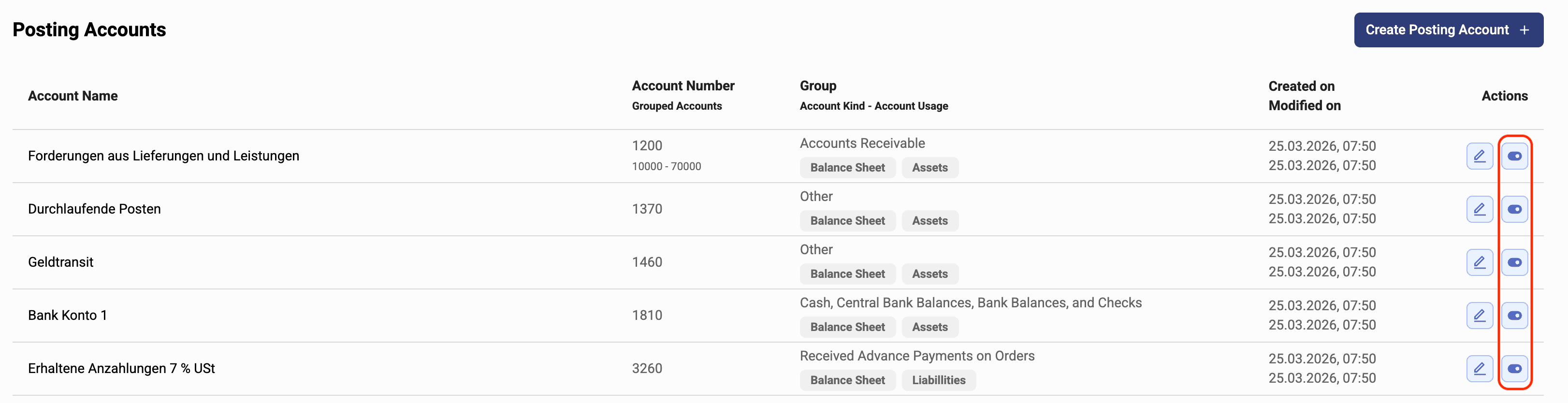
To (re-)enable an account, look for the account you wish to (re-)enable in the Disabled Accounts list and click the Enable Account button.
