Translatable Texts
On the Abillify Platform, you can define translated texts in multiple languages and use them in your API requests to ensure consistent localization across your application.
The appropriate language is automatically selected based on the target locale. If no translation is available for the target locale, the English version is used as a fallback.
All placeholders within the texts are dynamically replaced at runtime. This ensures that the correct values—such as invoice data—are always applied, for example, when a document is generated.
Configuring Translatable Texts
To configure translatable texts, go to the Settings section of the Abillify Platform and navigate to Translatable Texts. There, you can add, edit, or delete predefined texts for multiple languages.
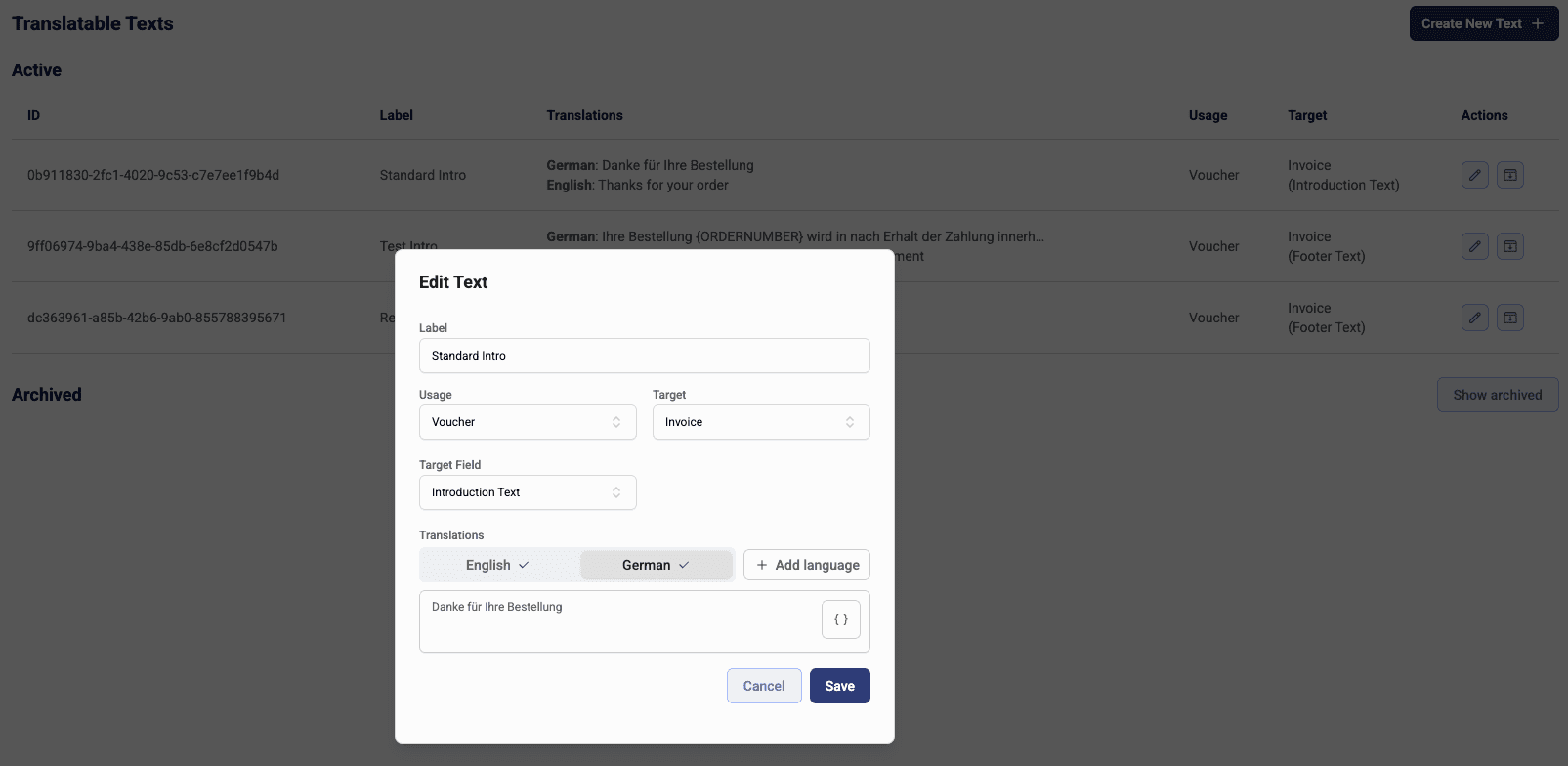
Translatable texts can be used for various purposes, such as:
- Vouchers: Orders, Invoices, Credit Notes
- Title
- Intro Text
- Footer Text
- Transactions: Usage field of Direct Debit and Refunds
Using Translatable Texts in API Requests
To use translated texts in your API requests, reference them by their unique ID. For example, instead of passing the actual text in voucher.detail.introText, you can provide the ID of a predefined text using voucher.detail.introTextId.
Example Request to create an invoice with a translated intro text
{
    "detail": {
        "introTextId": "0b911830-2fc1-4020-9c53-c7e7ee1f9b4d"
    },
    "currency": "EUR",
    "items": [
        {
            "constcenter": "1234",
            "detail": {
                "taxprofile": "default"
            },
            "label": "Product 1",
            "quantity": 1,
            "unit": "pcs",
            "unitprice": "100.00"
        }
    ],
    "orderdate": "2020-01-01T00:00:00.000Z",
    "ordernumber": "xyz-1234",
    "paymentkind": "CT",
    "reference": "1234567890"
}
For more details, check the API specification here.